What are Smart Lists?
Smart Lists are dynamic lists within your CRM that allow you to segment your contacts based on specific criteria. These criteria can include demographic information, purchase history, interaction, and more. Essentially, Smart Lists let you create targeted groups of contacts based on the characteristics that matter most to your business.
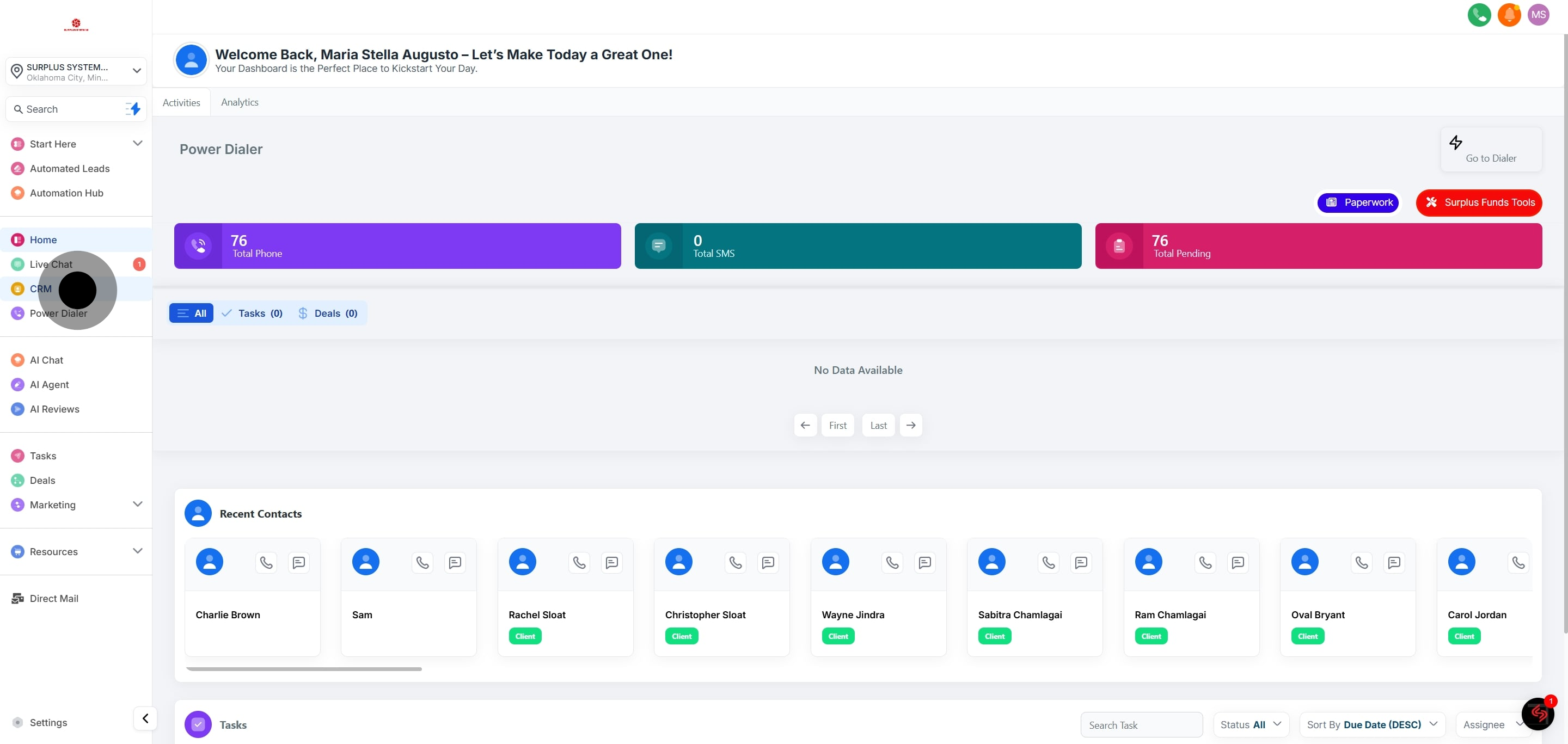
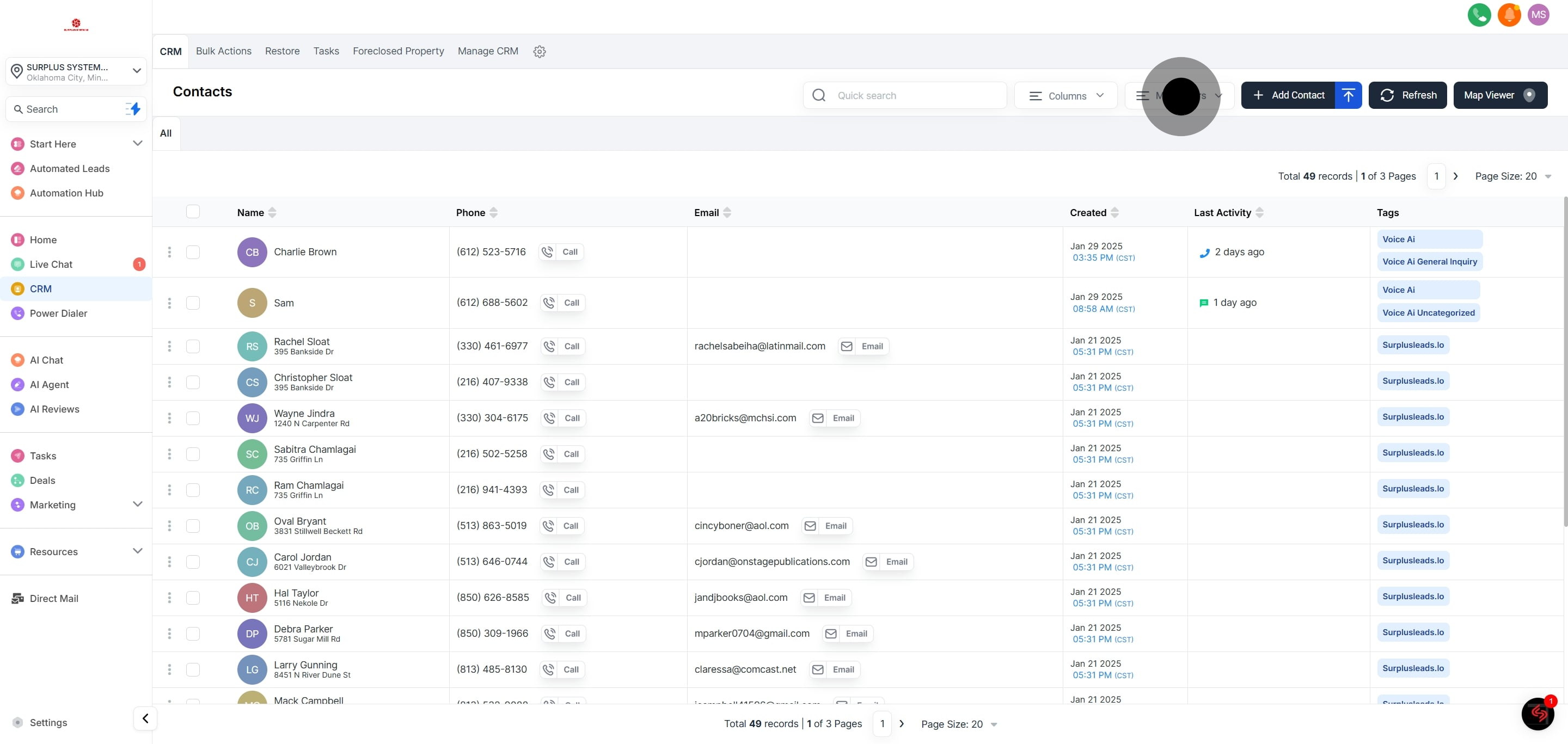
1. Navigate to CRM,

2. Look for More Filters and select it.

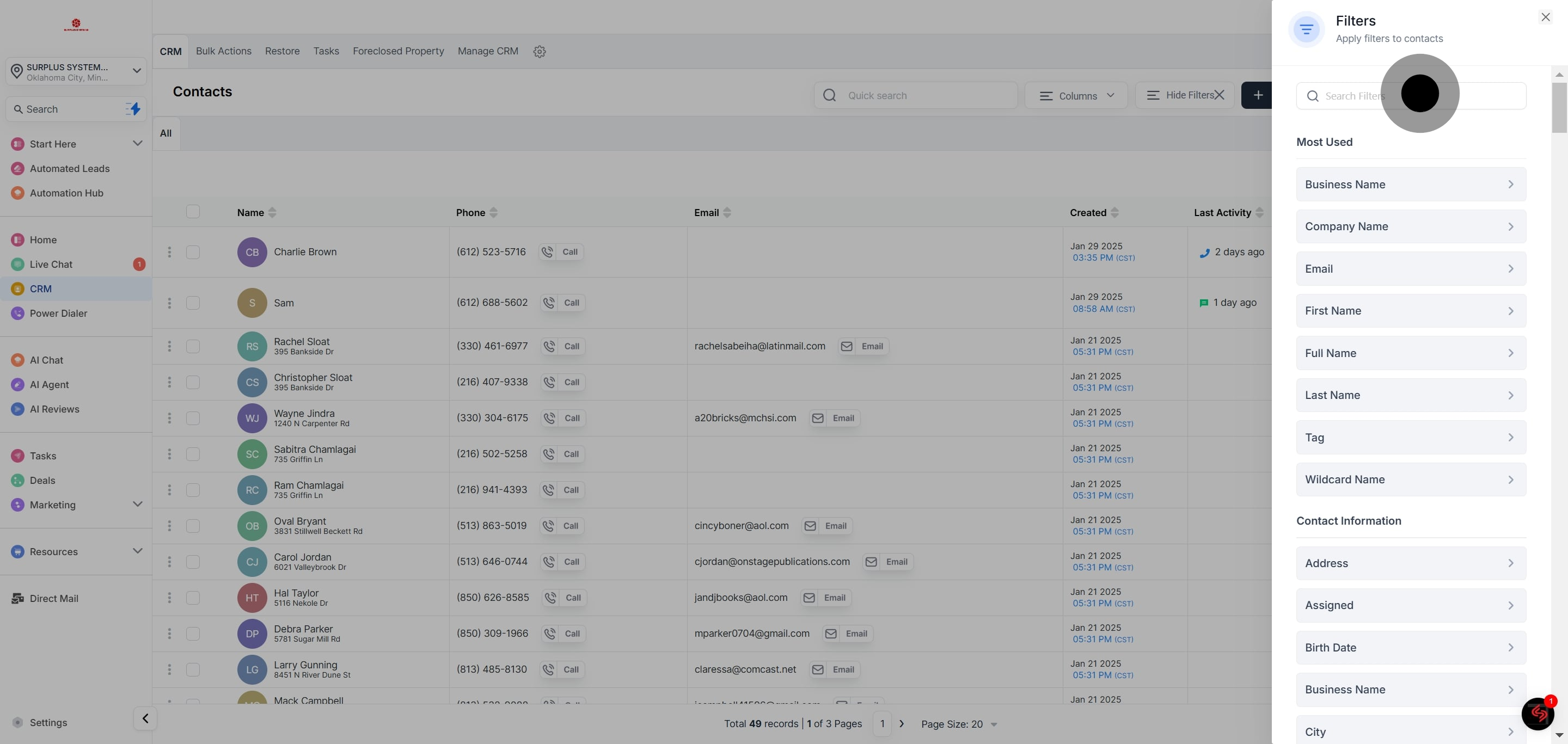
3. Initiate a filter search by clicking on the given search fields

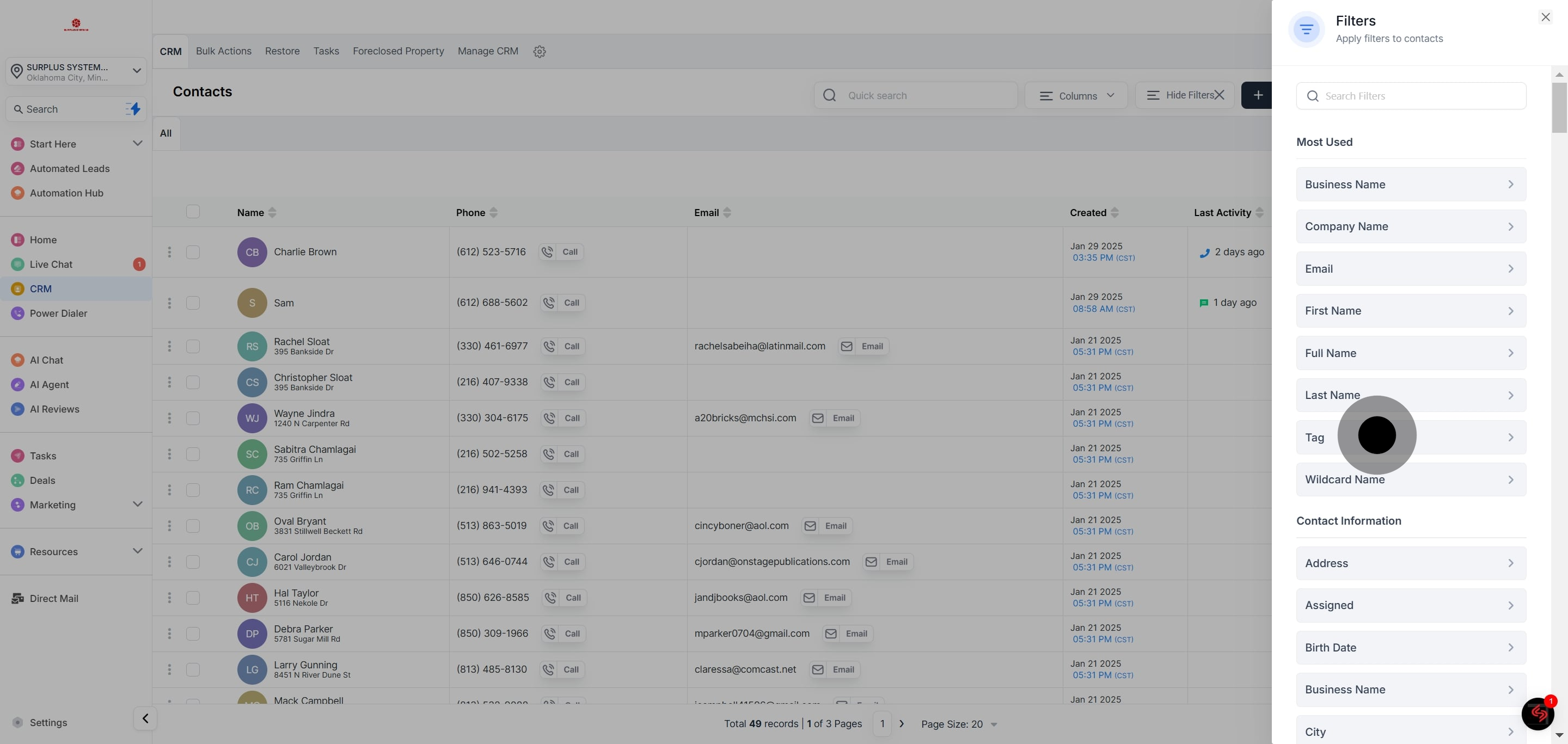
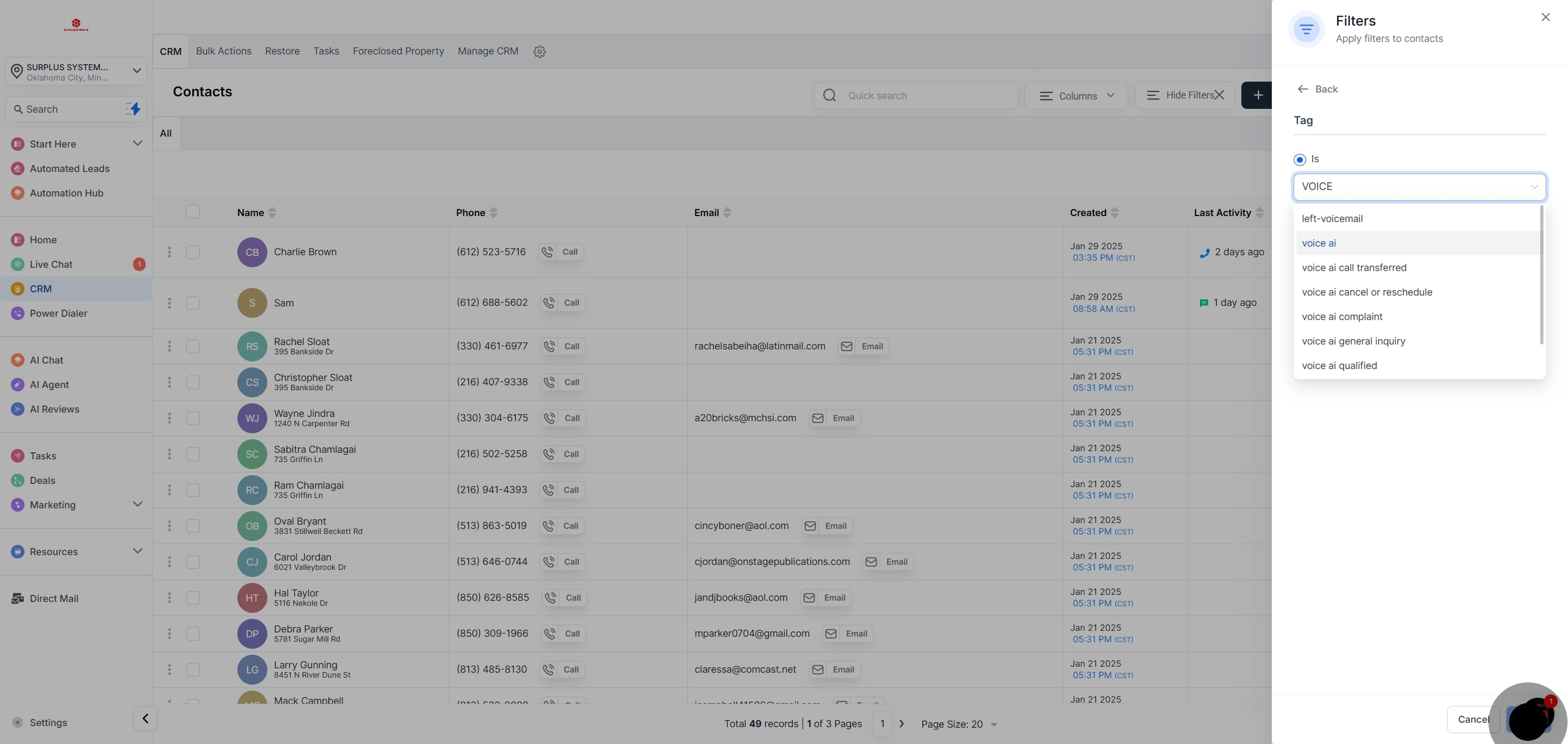
4. Select the filter you prefer. For this example, we'll choose the "tag" filter.

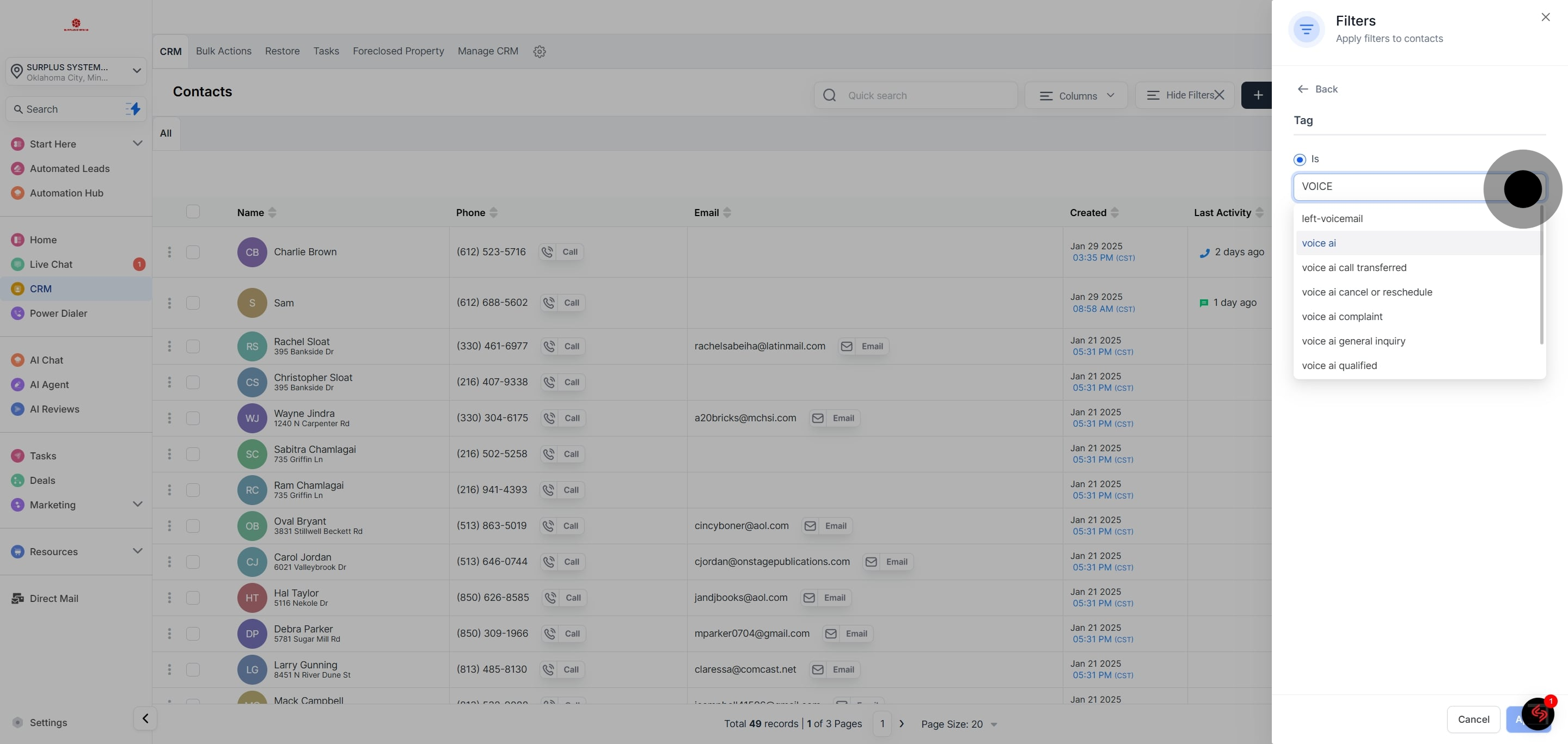
5. Add a tag to your filter.

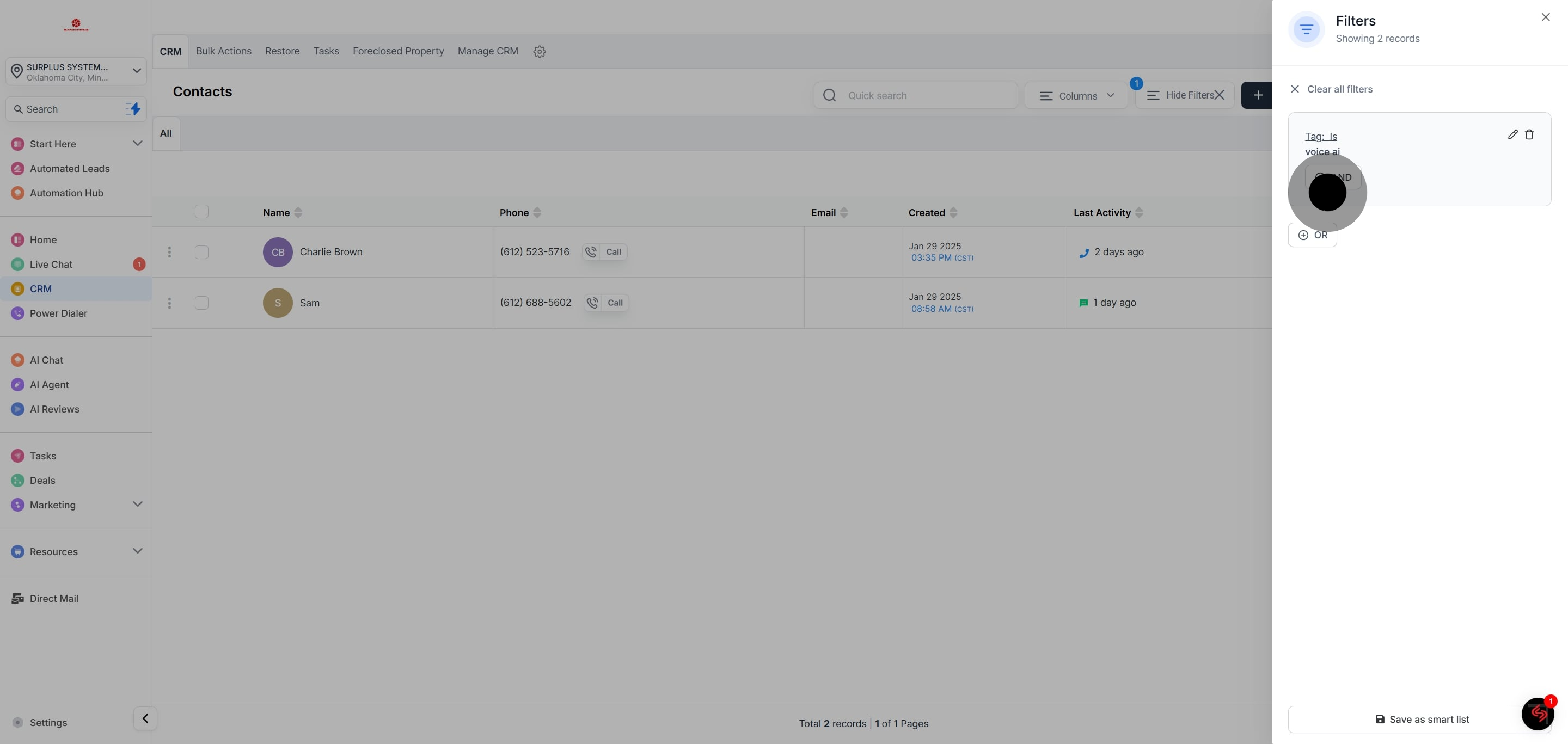
6. Click on Apply to incorporate the set filters.

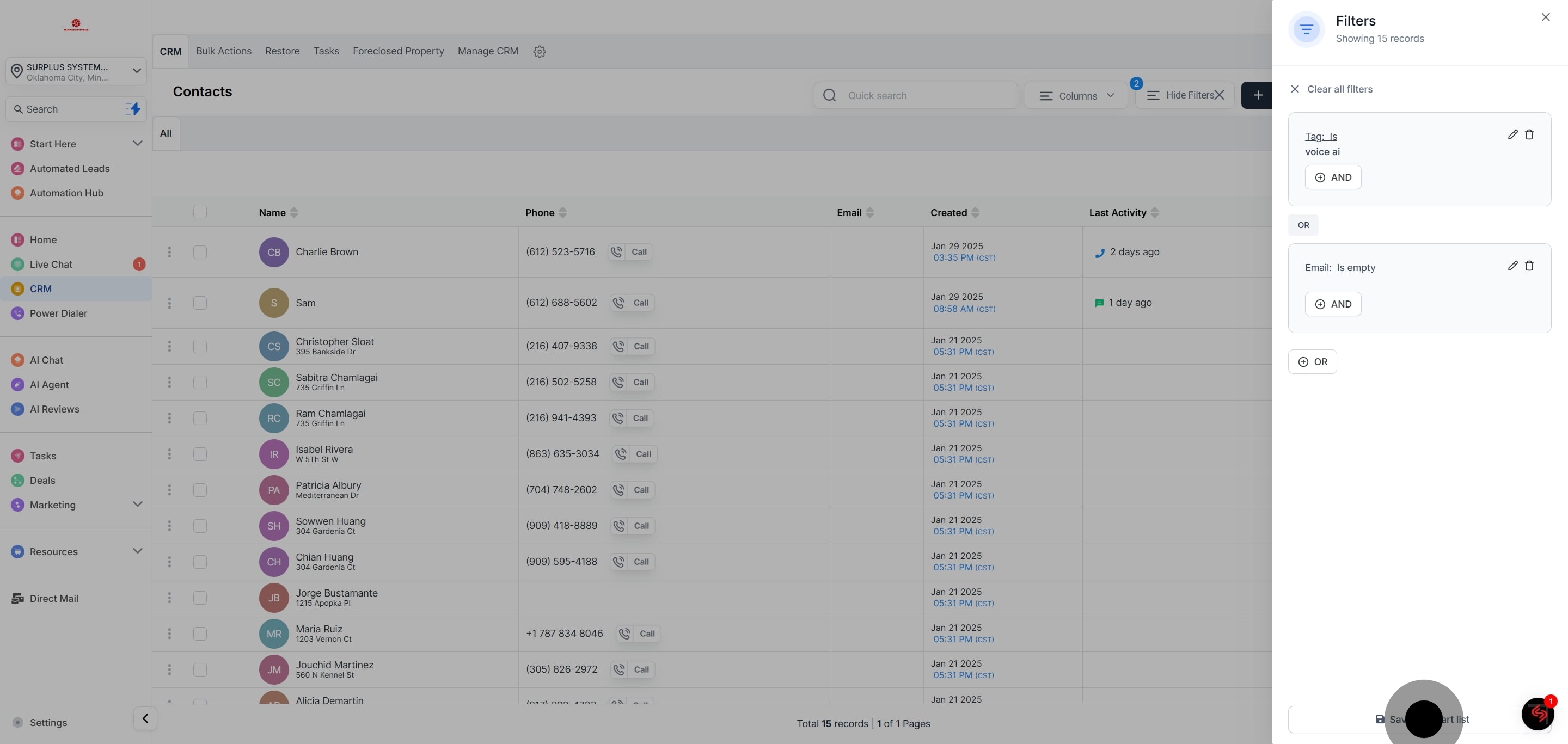
7. You can utilize "AND" or "OR" as additional conditions.

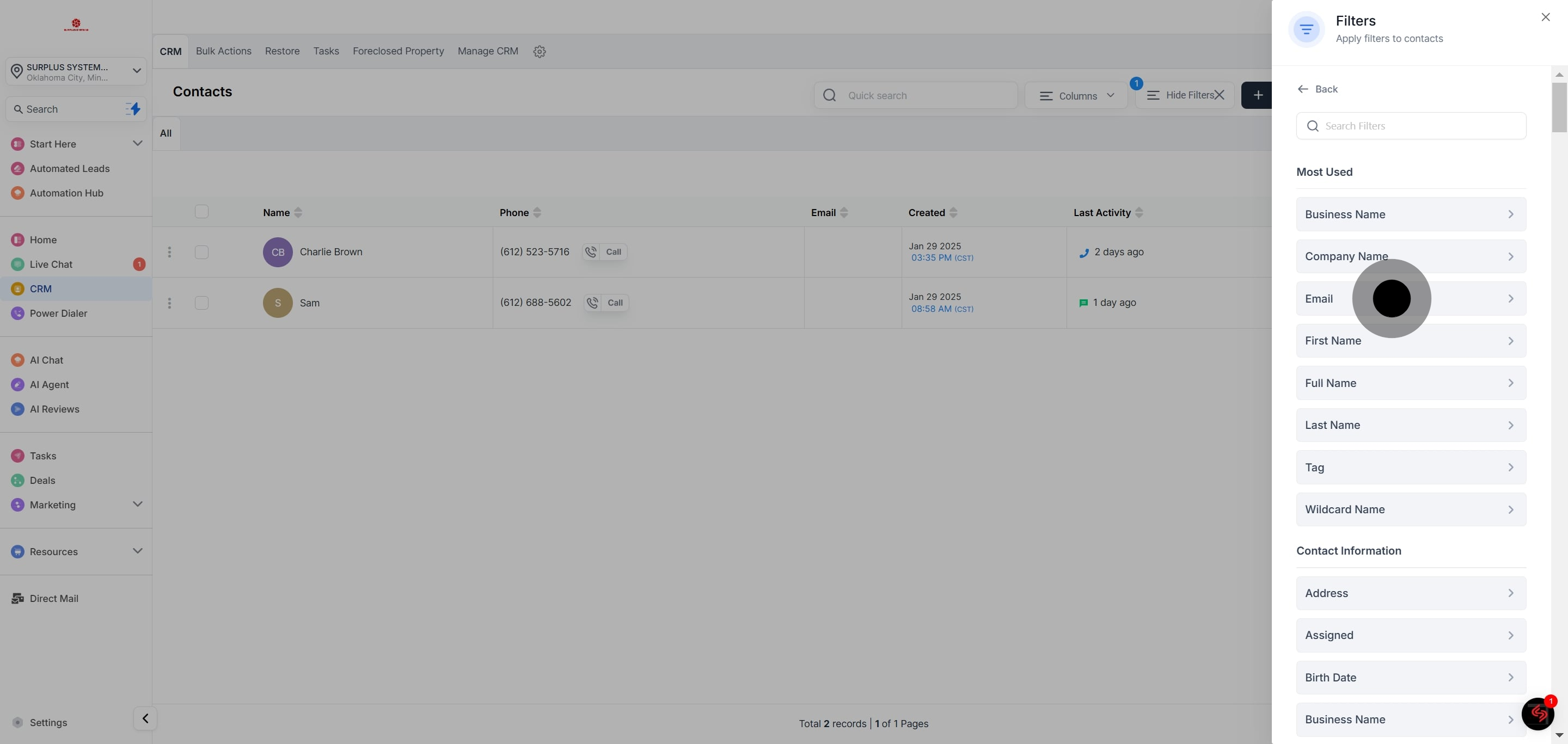
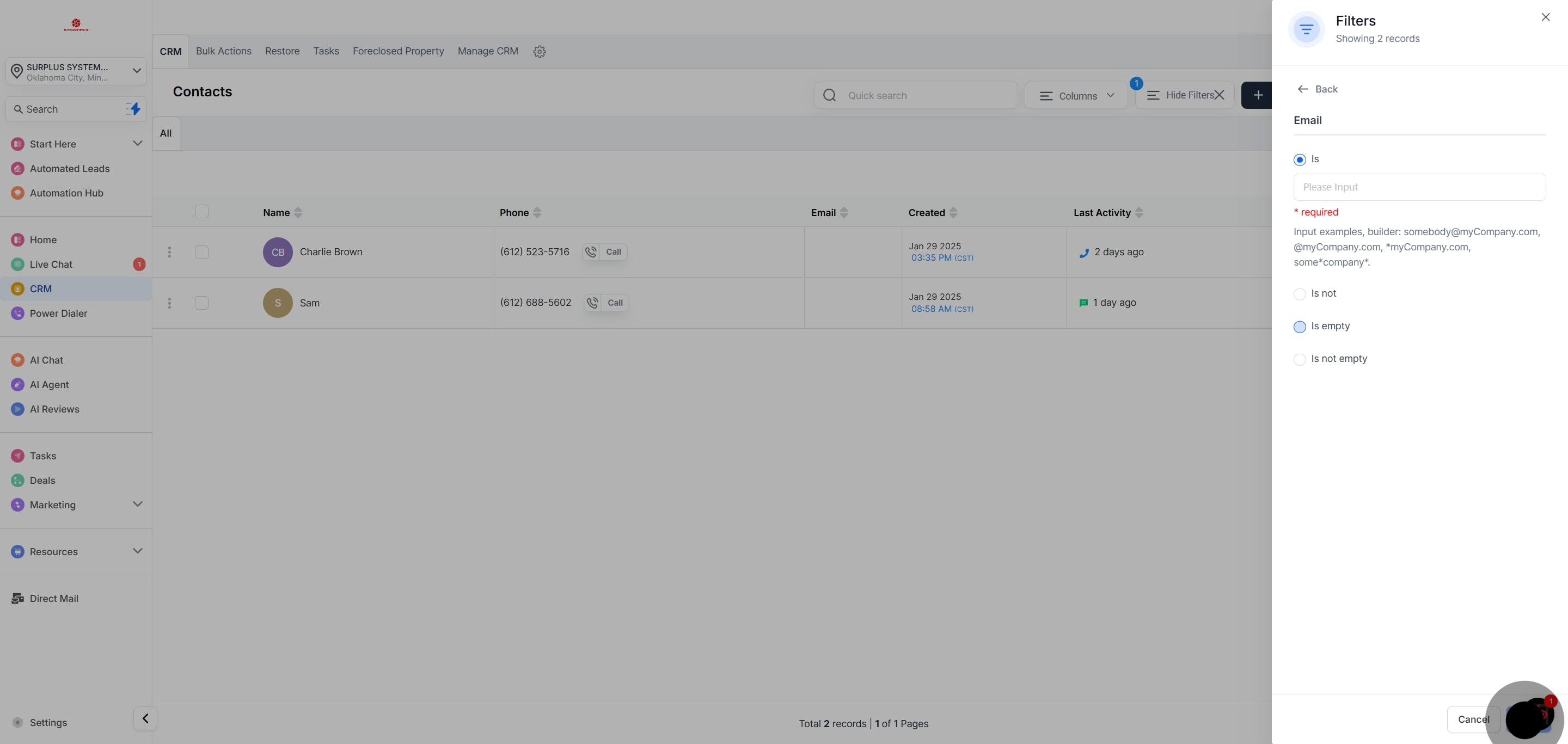
8. You can choose more than one filter. In this example, we'll select "Email" as an additional filter.

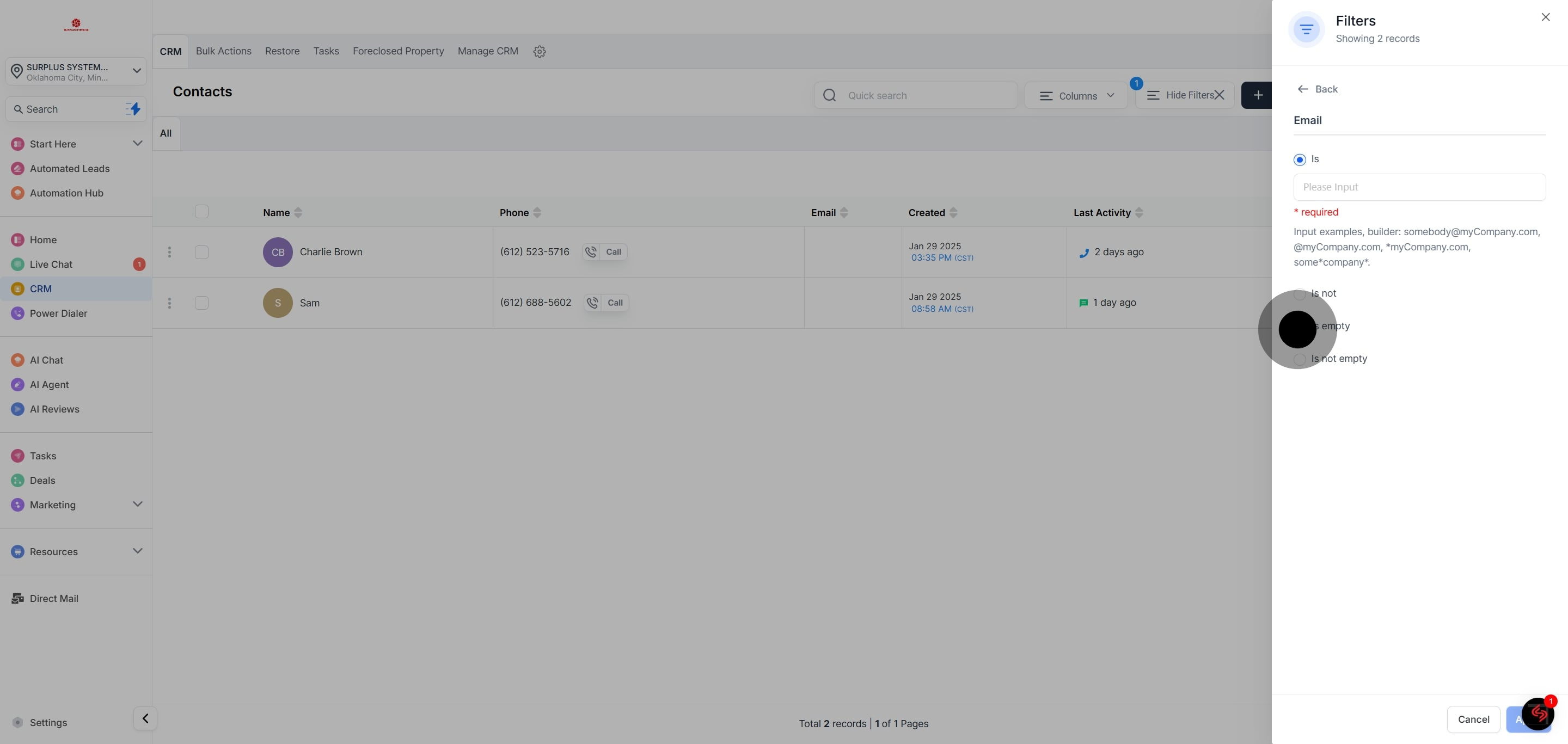
9. For the Email condition, choose is empty.

10. Confirm the Email filter by clicking Apply.

11. Save your filter settings by Clicking "Save as smart list."

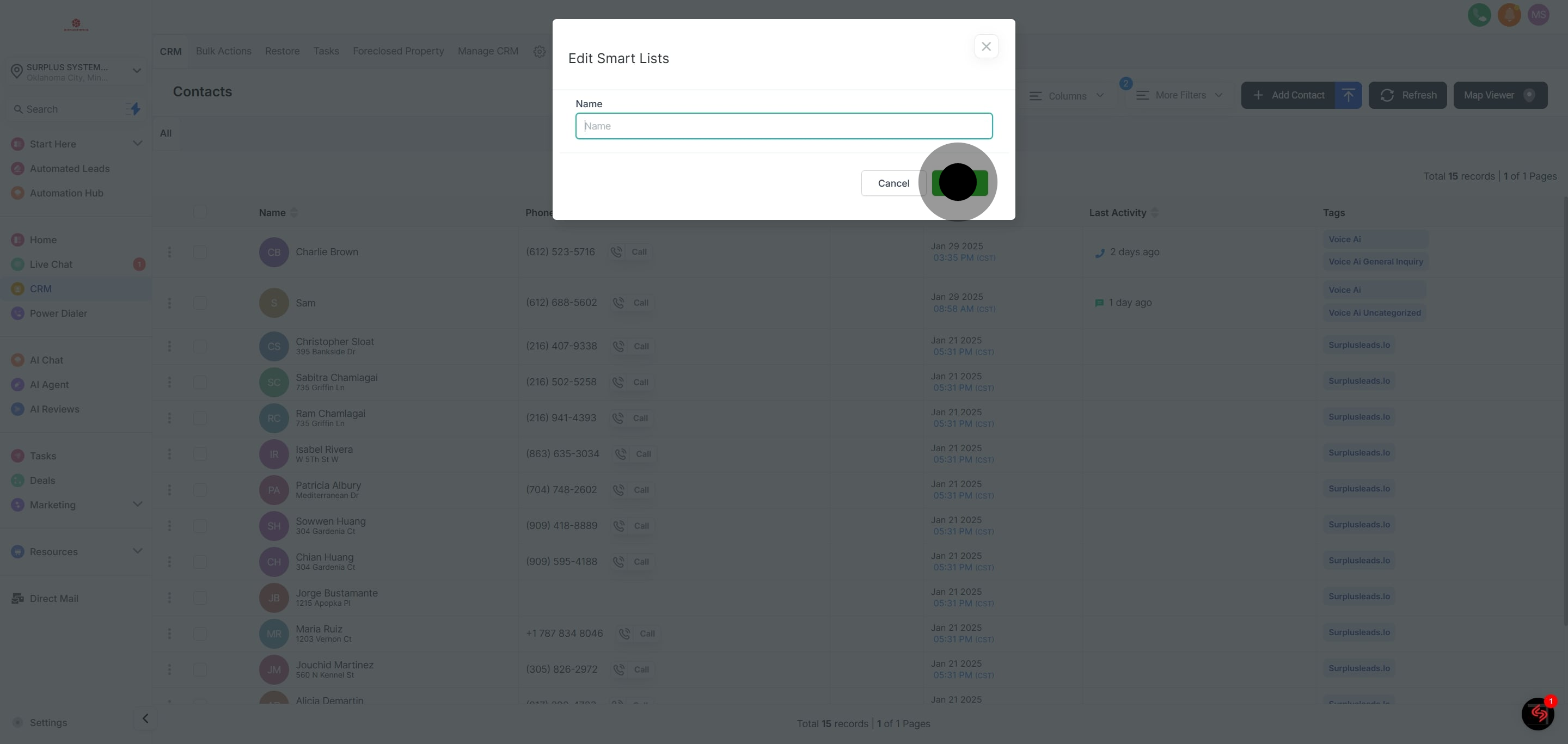
12. Name your smart list in the provided input box.

13. Finalize your smart list by clicking on 'Save'.

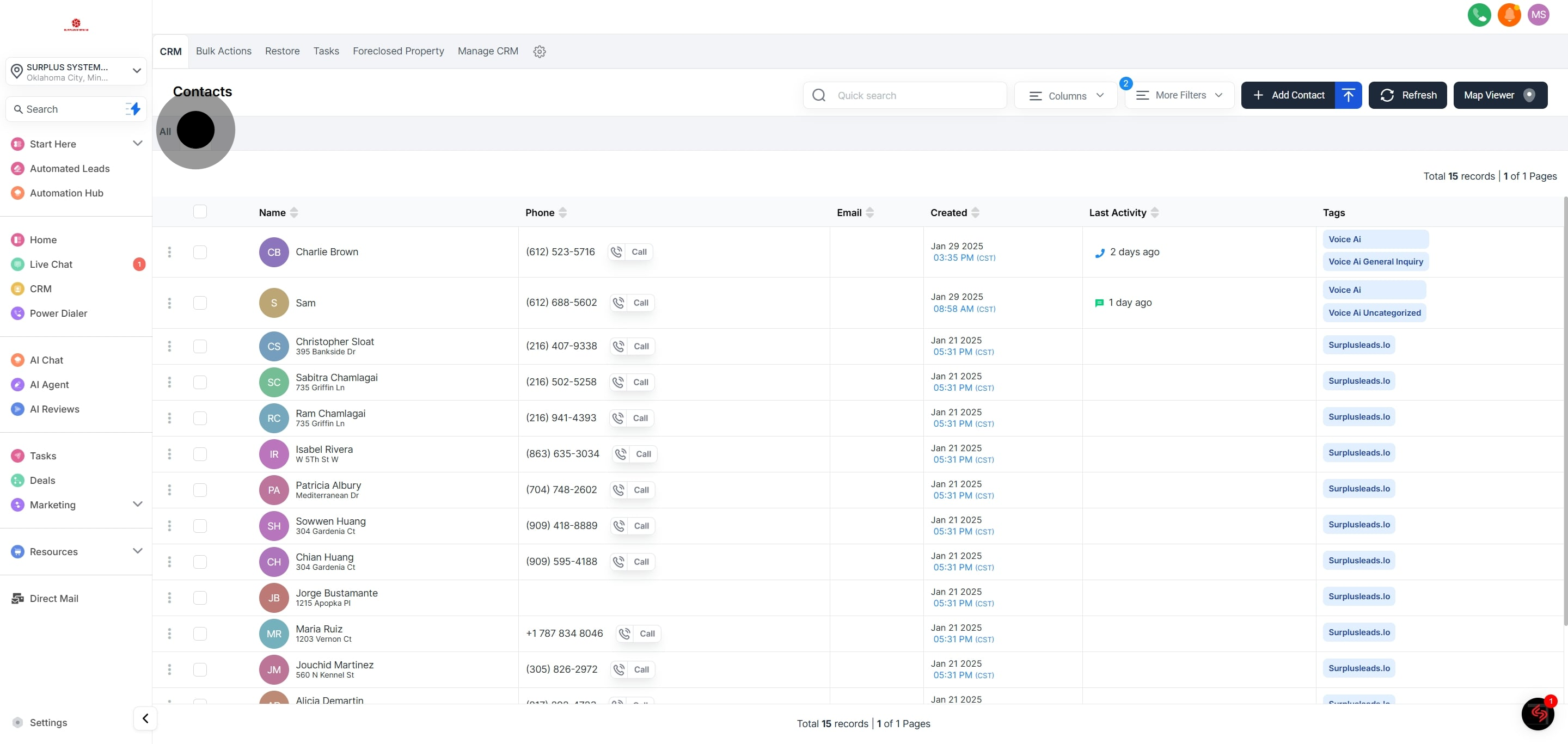
14. Now, your saved smart list will be accessible in a new tab next to "All."